Hello Kitty Nail Salon
Budge StudiosCasual
4.513.35K Reviews
- Version
- 2025.3.1
- Installs
- 100.00M
- Age Rating
- Everyone
Screenshots
Our Review of Hello Kitty Nail Salon
 Analysis by Appyee
When a phone is passed around the house, a creative game can work better than one that demands a long turn or a complicated setup. I see Hello Kitty Nail Salon as a handy choice for a short shared activity: one person can pick colors and decorations, then hand the device to someone else to add their own touch. The appeal is the making, not a race to finish, so it suits a quiet moment together when everyone wants to contribute at their own pace.
A shared screen, with simple turn-taking
In a household with children and adults using the same device, I’d agree on a simple routine before starting: decide whose design is being made, take turns choosing details, and save or share only when the person who made it is happy with the result. That keeps the activity cooperative without assuming the game manages separate profiles or family permissions. If several people want to create independently, it may be easier to give each person a separate turn rather than trying to keep a collection of designs organized for everyone.
One useful way to make a short session feel complete is to choose a theme before opening the design tools: a favorite color, a party look, or a pattern inspired by an outfit. That gives the group a small creative brief and helps avoid spending the whole turn browsing choices. For a younger player, an adult can suggest a starting idea without taking over the design; for an older child, leaving the theme open gives more room to experiment.
What to check before handing over the device
The game is free to download, while optional in-app purchases range from $0.99 to $9.99 per item. On a shared phone or tablet, I’d check the device’s purchase settings before letting a child explore on their own. That is a sensible general boundary for any game with paid extras; it doesn’t require making the activity feel like a shopping exercise. If the goal is simply to try the creative play, start with what is available without paying and decide later whether an extra is worth it.
It is also worth setting expectations about turn length. A player who is carefully arranging a design may not be ready to pass the device after a minute, while someone else may want to start over as soon as they see a new idea. Agreeing that each person gets one design, or one theme, can prevent a casual game from turning into an argument over who gets the next turn.
Where it fits among casual games
Compared with quick matching or tapping games, this one puts more emphasis on personal choices than on reacting quickly. That makes it a better fit for someone who likes selecting colors, shapes, and decorative details, but a weaker fit for a player who wants levels built around speed, competition, or a clear win-or-lose finish. It also differs from a general drawing app: the nail-art setting gives the activity a specific canvas and style, which can make it easier to get started, though it offers less open-ended freedom than a blank page.
For a rainy afternoon, a restaurant wait, or a calm break between other activities, I’d treat it as a small creative prompt rather than a game that needs a long session. A child could make one design while an adult reads or waits nearby, then show the finished result before moving on. If the household is looking for something that keeps several players actively competing together, I’d choose a different kind of game; the pleasure here is individual expression, even when people share the screen.
Age, trust, and expectations
The game is rated Everyone, and Budge Studios is the developer. That age rating makes it an accessible option for a broad audience, but I’d still tailor device access to the child and the household’s usual rules. In particular, younger players may need help understanding purchase prompts or deciding what to share beyond the device. A parent can keep the focus on designing together and handle any choices involving spending or posting.
For adults, the Hello Kitty theme is a clear part of the experience rather than a small decorative extra. If you enjoy the character and like a gentle creative task, that charm may be enough to make a few designs enjoyable. If you are looking for a realistic nail-care simulator, detailed professional techniques, or a broad art studio, the themed, casual format may feel too limited. I’d choose it for playful styling, not as a substitute for learning salon skills.
Get Your Cute On with Hello Kitty
First things first, let’s talk about the vibe. As soon as you launch Hello Kitty Nail Salon, you’re greeted by the delightful world of Hello Kitty. The design is vibrant and playful, making it perfect for kids and the young at heart. The app’s interface is user-friendly, so whether you’re a newbie or a seasoned nail artist, you’ll find it easy to navigate.
Exploring the Features
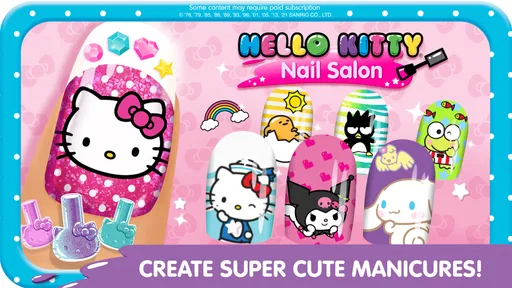
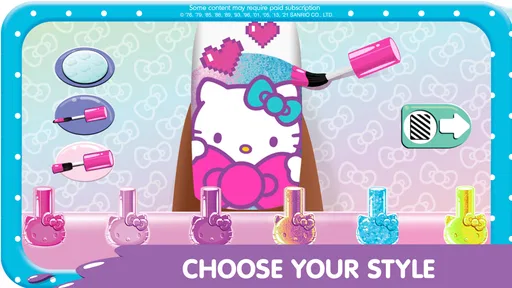
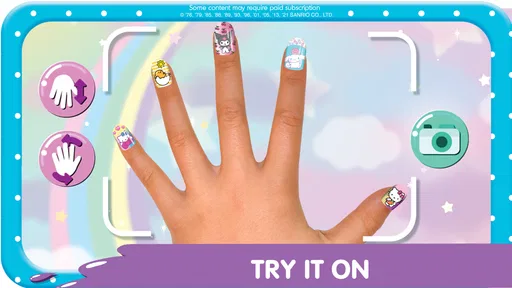
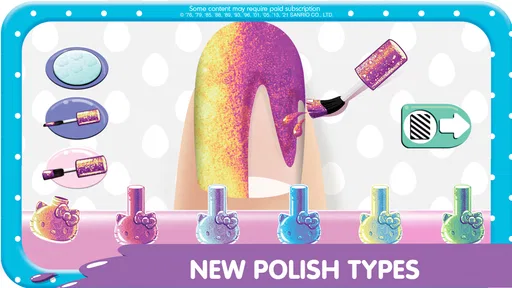
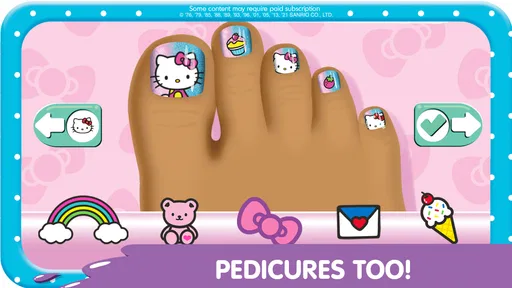
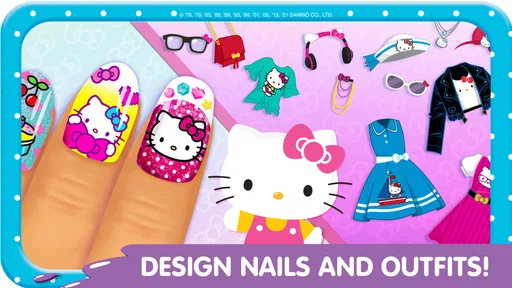
The app is packed with features that let your creativity run wild. You can choose from a variety of nail shapes, lengths, and colors. The color palette is extensive, ensuring you find the perfect shade for any mood. Plus, there are tons of cute stickers and patterns to add to your nail designs. From polka dots to Hello Kitty’s iconic bow, the possibilities are endless.
What’s really cool is the freehand drawing tool. This feature lets you unleash your inner artist and create custom designs. Whether you’re sketching simple stripes or intricate patterns, the app makes it easy to bring your ideas to life.
Challenge Mode for Extra Fun
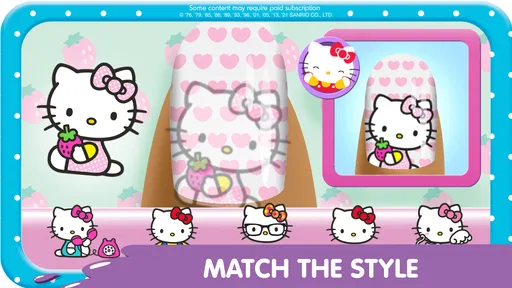
If you’re up for a challenge, the app offers a mode where you can mimic given designs. It tests your precision and creativity, and it’s a fun way to hone your skills. Completing these challenges earns you stars, which you can use to unlock more designs and tools. It’s a great way to keep the game engaging as you progress.
When I use the challenge mode, I’d treat it as a warm-up rather than a test of artistic talent. Trying to match a reference design encourages you to notice how colors and small decorations work together. A practical approach is to look at the overall color balance first, then add details; attempting every tiny feature at once can make the task feel fiddly. Once the matching task has done its job, switching to freehand drawing is a nice way to make the next design feel more personal.
There is a trade-off in having both structured and open-ended play: challenges give a clear goal, while freehand work depends on the player supplying the idea. That variety helps the game suit different moods, but neither mode turns it into a deep nail-design course. I’d recommend it to someone who wants a light creative loop, not to someone expecting advanced tools, realistic salon procedures, or a progression system that stays absorbing for a long time.
Perfect for All Ages
Hello Kitty Nail Salon isn’t just for kids. While it’s definitely family-friendly, it also offers enough variety and depth to keep adults entertained. It’s one of those apps you can easily lose track of time with, whether you’re waiting in line or just chilling at home.
As a casual game from Budge Studios, it is an easy one to understand without learning a complicated rule set. It was released on September 14, 2015, and the current version is 2025.3.1; it runs on Android 5.1 or later. Those details are useful if you are checking an older household device before downloading. The game has a 4.4 average from around 727,000 ratings, and it has passed 100 million installs, which suggests it has reached a wide audience without telling you whether its particular style will suit your child.
It is free to play, with in-app purchases priced from $0.99 to $9.99 per item. I would think of that as a reason to set a clear boundary, not as a reason to avoid the game altogether. If a child asks for more designs or tools, take a look together and decide whether the extra content is useful to your family; there is no need to make a purchase just to see whether the basic creative activity is a fit.
One question I’d consider before installing it is whether the player enjoys decorating more than collecting or competing. The central activity rewards attention to appearance and personal taste, so it is likely to land well with children who like choosing a look and showing the finished result. A child who quickly loses interest unless there is a winner, a timer, or a shared objective may be happier with a different casual game.
All About Sharing
Once you’ve created your masterpiece, the app makes it easy to share your designs with friends. You can post your creations on social media or save them to your device. It’s a fun way to show off your style and inspire others with your colorful nail art.
On a family device, I’d make saving or posting the last step, after the creator has decided the design is ready. That simple pause gives a child a chance to review what they made and lets an adult guide any sharing choices. It also makes the game work as a small show-and-tell activity: each person can explain one choice they made, such as a color pairing or a sticker, rather than just rushing to the next turn.
The game’s 13,000 reviews and large audience are signs that plenty of people have tried it, but I would still judge it by the child’s response during a short first session. A useful test is to see whether they enjoy changing a design after the first version, or whether they mainly want to move on. If they like refining details, the customization can keep a few brief visits interesting; if not, there is little reason to push it as a regular activity.
And let’s not forget the satisfaction of seeing your designs brought to life. The app does a fantastic job of making your virtual designs look realistic, which adds to the overall enjoyment.
That visual payoff is a particular strength for a shared session because the finished manicure gives everyone something concrete to react to. I’d avoid comparing siblings’ designs as if one were objectively better; asking what each person likes about their own creation keeps the mood encouraging. It also suits a quiet break better than a loud, competitive game, since the fun comes from making and looking rather than trying to beat someone else.
Final Thoughts
In a nutshell, Hello Kitty Nail Salon is a delightful app that combines creativity, fun, and a touch of nostalgia. Whether you’re a Hello Kitty fanatic or just love nail art, this app is worth a download. It’s engaging, easy to use, and offers plenty of customization options to keep you coming back for more.
My household verdict is that it works best as an occasional, low-pressure creative activity: easy to pass around, simple to understand, and specific enough to give each turn a direction. It is less suitable if you need a shared account setup, extensive long-term progression, or a competitive game for a group. For someone who wants a cute design space on an Android device, it is a reasonable free starting point, provided an adult sets expectations around purchases and sharing.
So, grab your virtual brush and let your imagination run wild. Happy designing!
Verdict
Strengths of Hello Kitty Nail Salon
- Cute and engaging graphics.
- Variety of nail art designs.
- Easy to use for all ages.
- No internet required.
- Frequent updates with new content.
Limitations of Hello Kitty Nail Salon
- Limited free content.
- In-app purchases can add up.
- Ads can be intrusive.
- Gameplay may feel repetitive.
- Small screen size can be tricky.
Other Releases by Budge Studios
View All
Barbie Dreamhouse Adventures
Simulation4.2

Thomas & Friends: Go Go Thomas
Racing4.4

Hot Wheels Unlimited
Racing4.5

Bluey: Let's Play!
Casual4.3
Similar Picks in This Category
View All
My Talking Angela
Outfit7 Limited4.2

My Talking Tom
Outfit7 Limited4.3

Pou
Zakeh4.2

My Talking Tom 2: Pet Game
Outfit7 Limited4.3

Candy Crush Saga
King4.6

Bridge Race
Supersonic Studios LTD4.1
Frequently Asked Questions
What is Hello Kitty Nail Salon and how does it work?
Hello Kitty Nail Salon is a fun and creative app that allows users to design and decorate nails with a variety of tools and styles. Players can choose from different nail shapes, colors, and patterns, inspired by the beloved Hello Kitty brand. The app also offers challenges and competitions to unlock new items, making it engaging for users of all ages.
Is Hello Kitty Nail Salon free to download and play?
The Hello Kitty Nail Salon app is free to download and play. However, it includes in-app purchases that allow users to buy additional features, decorations, and styles to enhance the gaming experience. While the basic features are accessible without payment, some exclusive items may require purchase.
What age group is Hello Kitty Nail Salon suitable for?
Hello Kitty Nail Salon is designed for children and fans of all ages who enjoy creative play and nail art. The app features a user-friendly interface that is easy to navigate, making it suitable for young children, but it also offers enough variety and challenge to keep older players entertained.
Are there any safety concerns or parental controls in the app?
Hello Kitty Nail Salon is generally considered safe for children, as it does not contain inappropriate content. However, parents should be aware of in-app purchases and may want to set up parental controls to prevent accidental purchases. The app also includes ads, which can be managed through settings.
Can Hello Kitty Nail Salon be played offline?
Hello Kitty Nail Salon requires an internet connection to access all its features, such as competitions and in-app purchases. However, basic design and play features can be accessed offline, allowing users to enjoy creativity on the go without needing a constant internet connection.
Play our best games!


